A single power surge can permanently damage a router in an instant, destroying internal components that no amount of restarting or troubleshooting can fix. The good news is that protecting your router from power surges is inexpensive and simple, and it is one of the best investments you can make in your home network’s longevity.
What Causes Power Surges
Power surges are sudden spikes in electrical voltage that can come from several sources, including lightning strikes, problems with your local power grid, large appliances turning on and off (like air conditioners or refrigerators), and even issues within your home’s own electrical wiring. A surge can last a fraction of a second, but that is more than enough time to damage sensitive electronics.
Why Routers Are Particularly Vulnerable
Routers contain delicate internal circuitry designed to run at low, stable voltages. Unlike larger appliances built to tolerate some electrical fluctuation, routers have little built-in protection against sudden voltage spikes, which makes them one of the more vulnerable devices in a home during a storm or electrical event.
The Simplest Solution: A Surge Protector
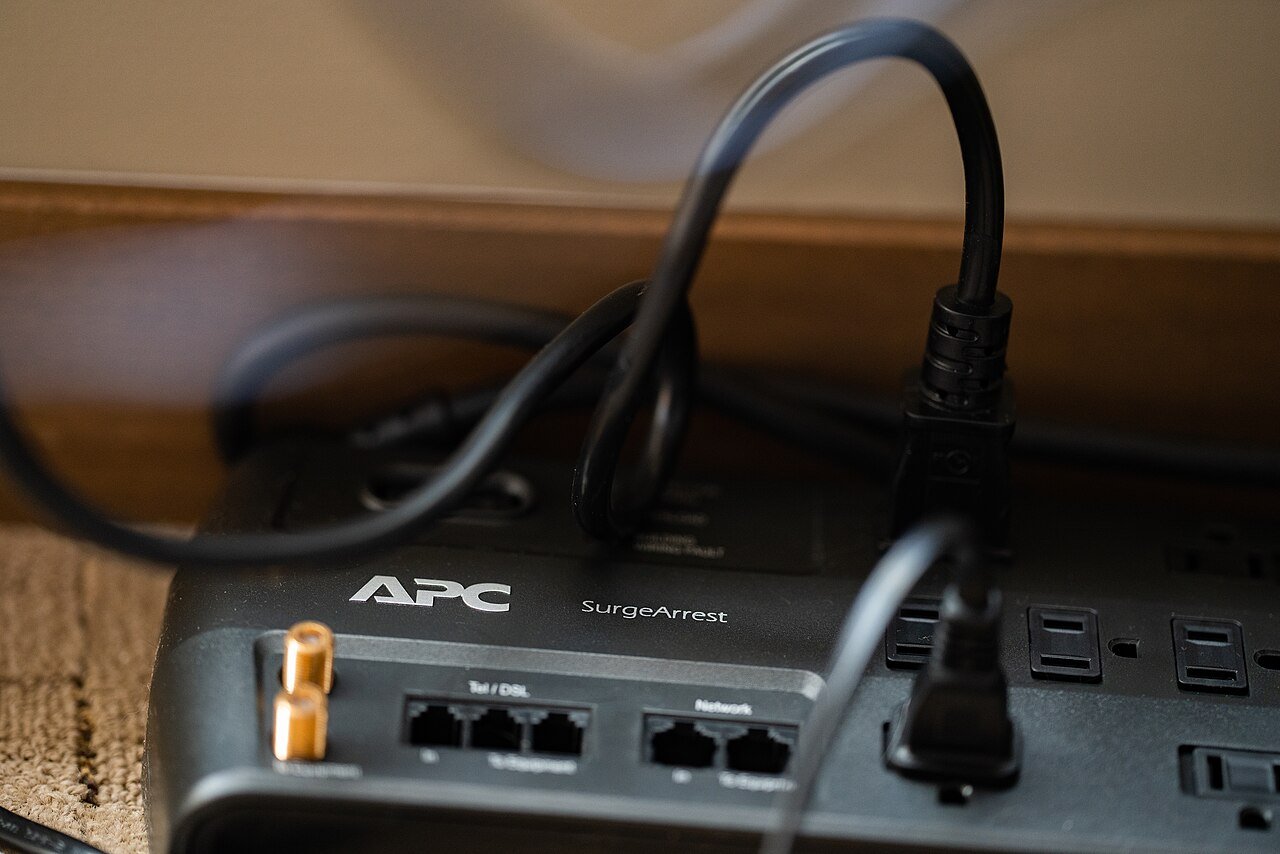
Plugging your router into a dedicated surge protector, rather than directly into a wall outlet, is the most effective and affordable way to guard against power surges. A good surge protector detects voltage spikes and diverts the excess energy away from your devices, protecting them from damage.
When choosing a surge protector, look for one with a joule rating of at least 1000, which indicates how much energy it can absorb before needing replacement. Surge protectors do wear out over time, especially after absorbing a significant spike, so it is worth replacing yours every few years even if it still appears to work.
Consider a Battery Backup for Extra Protection
For households that experience frequent storms or unstable power, an uninterruptible power supply, often called a UPS, offers an extra layer of protection. In addition to surge protection, a UPS includes a battery that keeps your router running for a short time during a power outage, which can prevent the kind of abrupt power loss that sometimes causes hardware issues over time.
Unplug During Severe Storms
For the strongest level of protection during a major storm, especially one with frequent lightning, simply unplugging your router (and modem) from the wall is the most reliable method. No surge protector offers complete protection against a direct or very close lightning strike, so unplugging remains the safest option when severe weather is expected.
Protect the Ethernet and Phone Lines Too
Power surges do not only travel through electrical outlets. They can also enter through Ethernet cables or phone lines connected to your modem, particularly in homes with DSL internet. Surge protectors that include Ethernet or phone line protection ports offer more complete coverage than an electrical-only surge protector.
Signs Your Router May Have Suffered Surge Damage
- The router will not power on at all, even though it is properly plugged in
- Lights on the router behave erratically or will not turn on
- The router powers on but will not connect to the internet, even after resets
- A noticeable burning smell, which is a sign to immediately unplug the device
A Small Investment With a Big Payoff
A quality surge protector typically costs a fraction of the price of a replacement router, making it one of the most cost-effective pieces of home network protection you can buy. Taking a few minutes to set this up properly can save you from the frustration, and expense, of replacing equipment that was damaged in an instant by something entirely preventable.